
IndiaRoad Map on Android Auto
Get the map, directions and hazard warnings on your car's screen.
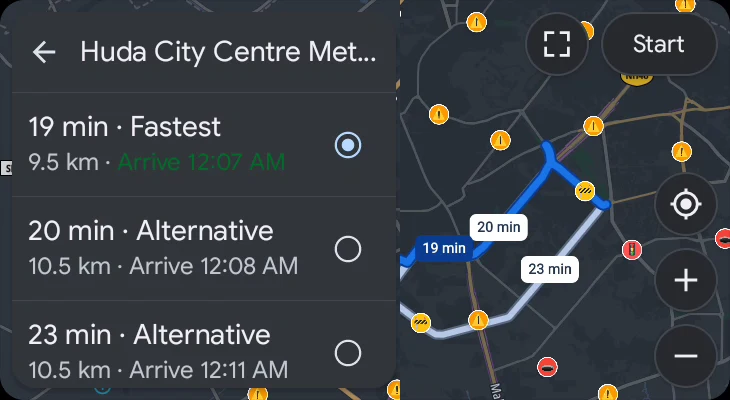
Real screenshots from the car screen, taken with a demo account.
What works
- Turn-by-turn voice navigation and route choices.
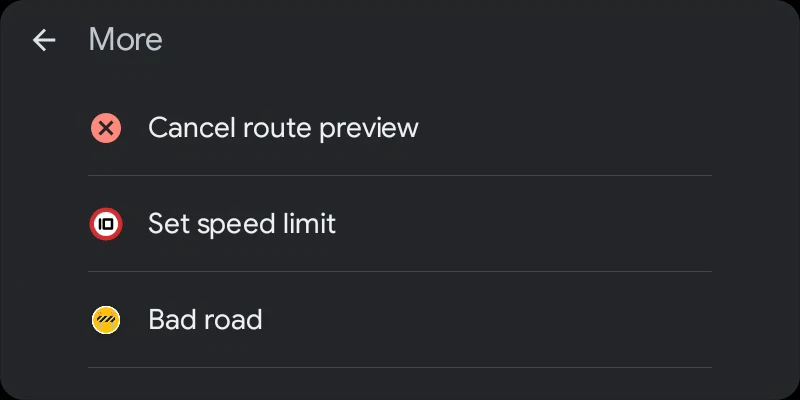
- Warnings for potholes, speed breakers, bad road and speed cameras.
- One-tap reports. Traffic light and speed camera are on the screen; more are under More.
- Tap a report's icon to remove or hide it.
- Quick search for petrol, CNG, EV charging, restaurants, ATMs and hospitals.
- Add a stop.
- See the speed limit and correct it if it's wrong.
- Keeps working when the phone app is closed.
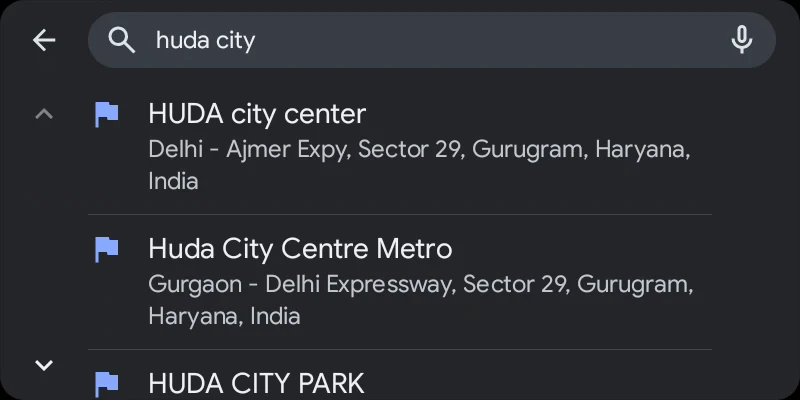
How to start
- Install IndiaRoad Map from Google Play and sign in on your phone.
- Allow location on the phone.
- Connect the phone to your car by USB cable, or wirelessly if both support it.
- On the car screen, open the app launcher and tap IndiaRoad Map.
If something is wrong
- App not on the car screen: update IndiaRoad Map and Android Auto, then reconnect. Try another USB cable.
- Blank map or no search: check the phone's internet and that you are signed in.
- No warnings: check that voice isn't muted. There may be no hazards reported on your road yet.
Still stuck? Write to [email protected] with your phone and car model.