IndiaRoad Map Get it on Google Play

Free pothole detection app for Android

Your phone feels the pothole. The driver behind you hears about it.

Voice navigation with live traffic that warns you about 10 seconds before potholes, speed breakers (speed bumps) and bad road. On your phone and on your car screen with Android Auto.
Get it on Google Play

3.6 from 11 reviews. 1K+ downloads. Read reviews

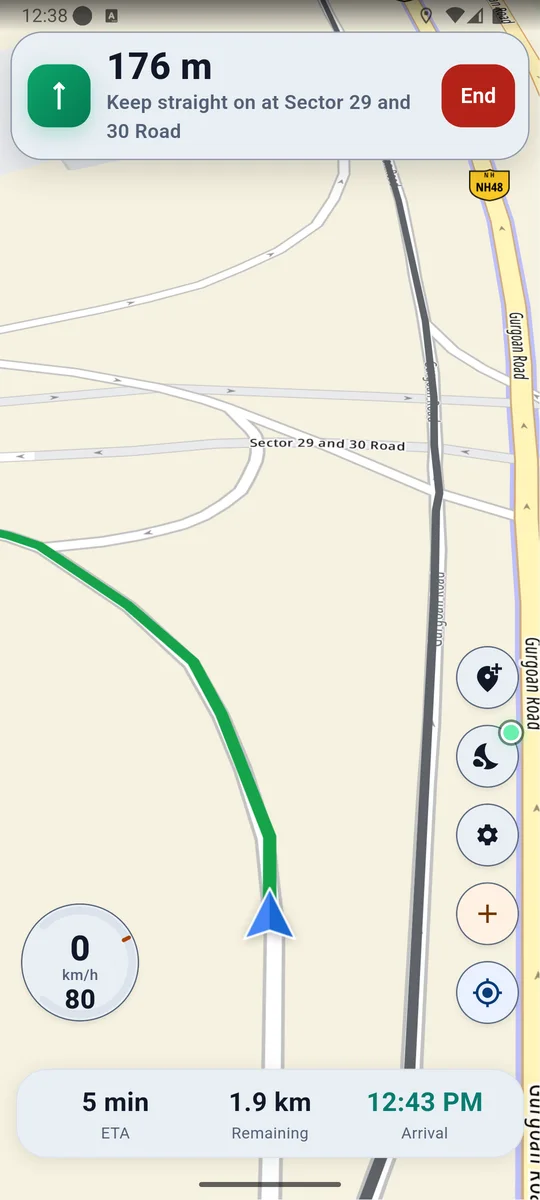
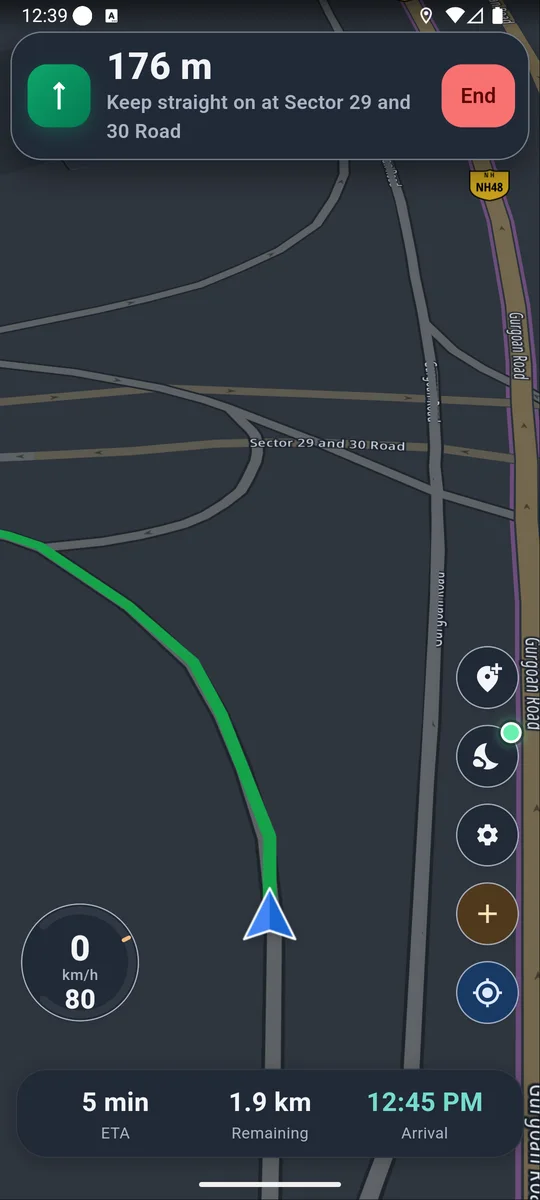
Turn-by-turn navigation: 176 m, keep straight on at Sector 29 and 30 Road, speed limit 80.
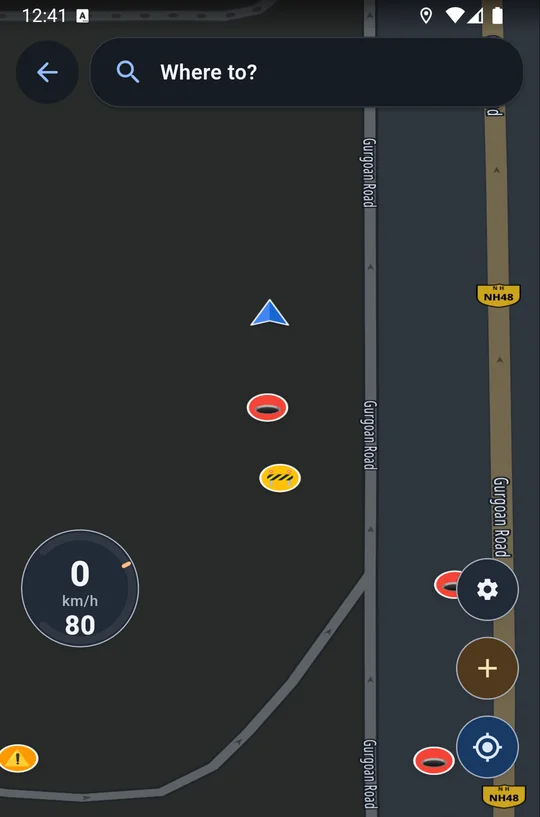
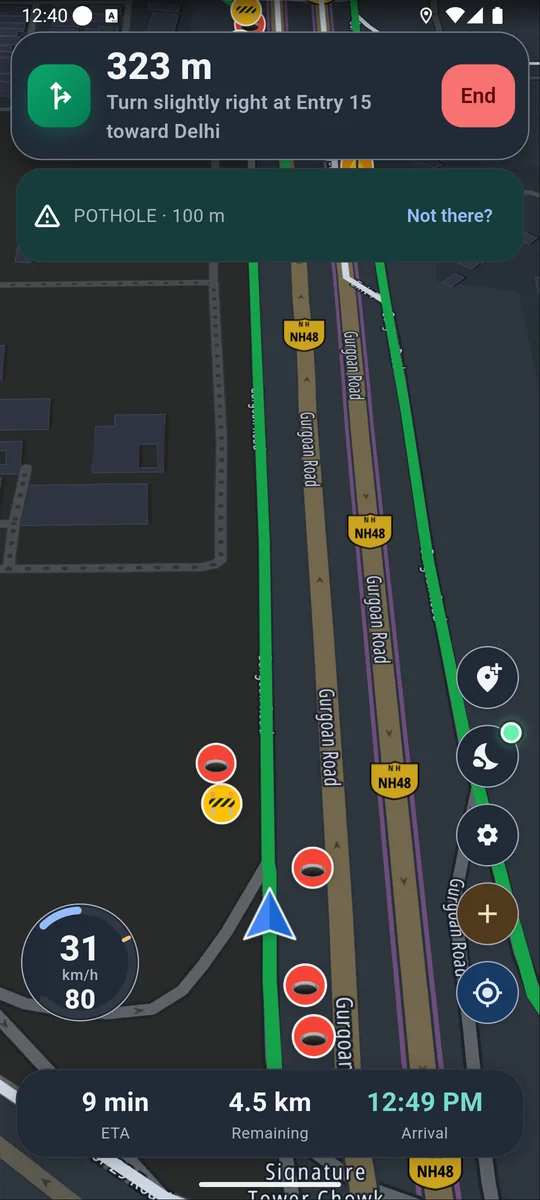
Night navigation with the warning banner Pothole, 100 m, and hazard markers on the road ahead.

On your car screen with Android Auto

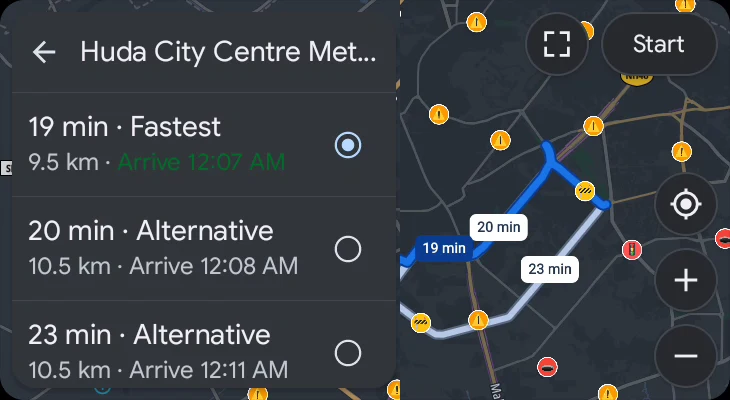
Plug in and the map, hazard warnings and route choices move to the car display. It keeps working even with the phone app closed.
  • One-tap search for petrol pump, CNG, EV charging, restaurant, ATM and hospital
  • Report traffic lights, speed cameras and bad road from the car screen
  • Add a stop without leaving your route
How Android Auto works
IndiaRoad Map on an Android Auto car screen: three route choices to Huda City Centre Metro with hazard markers along the way
Real Android Auto screenshot (demo account)

One jolt. A warning for everyone behind you.

Night navigation: next turn 176 m, keep straight on at Sector 29 and 30 Road, speed limit 80
Night map with pothole and speed breaker markers
Navigation with the warning banner Pothole, 100 m
Illustration of the car screen
  1. 1

    Drive like you always do

    Turn-by-turn voice, in Car or Bike mode.

  2. 2

    Your phone feels the jolt

    Motion sensors catch potholes, speed breakers and bad road.

  3. 3

    It goes on the map

    Only the hazard and its spot are shared.

  4. 4

    The next driver is warned

    By voice, about 10 seconds ahead, never closer than 100 m.

  5. 5

    On the car screen too

    Warnings and one-tap petrol, CNG or EV search in Android Auto.

No buttons to press while you drive

  1. Your phone

    Feels the jolt. Raw sensor data stays on it.

  2. IndiaRoad Map

    Puts the hazard and its location on the map.

  3. Drivers behind you

    Hear it about 10 s ahead, on phone or car screen.

Built for the daily drive

Real app screens, small live demos.

Warned about 10 seconds ahead

Never closer than 100 m. Speed cameras about 15 s ahead, at least 200 m.

Report in one tap

Police, accident, flooding, speed camera and more.
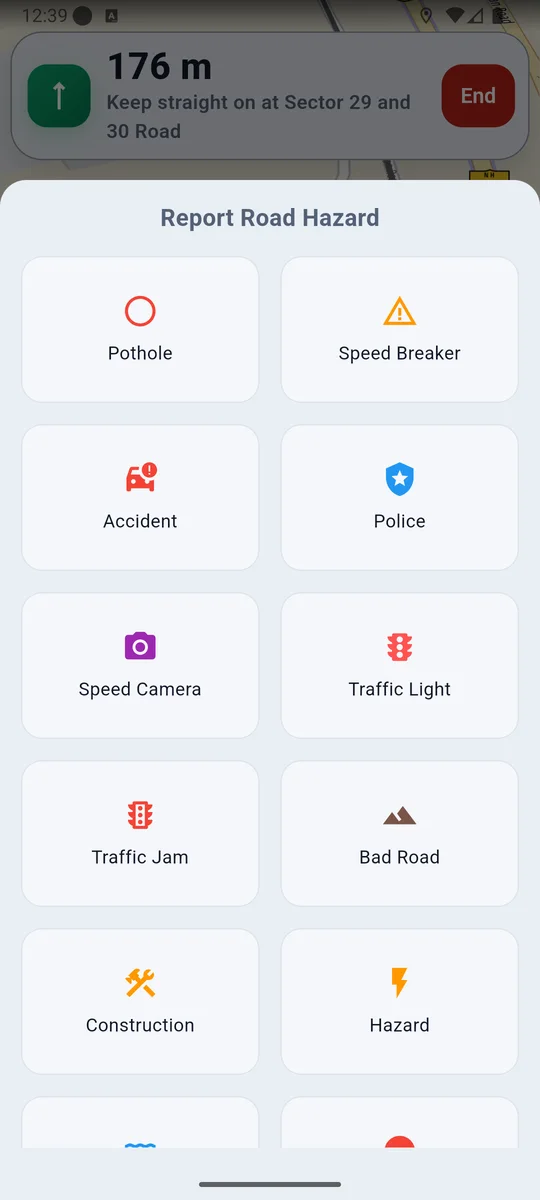
Report Road Hazard sheet with pothole, speed breaker, accident, police, speed camera, traffic light, traffic jam, bad road, construction and hazard.

Tuned to your vehicle

Sensitivity 1 to 10. Bike routes avoid expressways closed to two-wheelers.

Share your live drive

Family follows in any browser, for 5 minutes to 24 hours.

Navigation screen in day mode. The same navigation screen in night mode.

Night mode

A dark map after sunset.

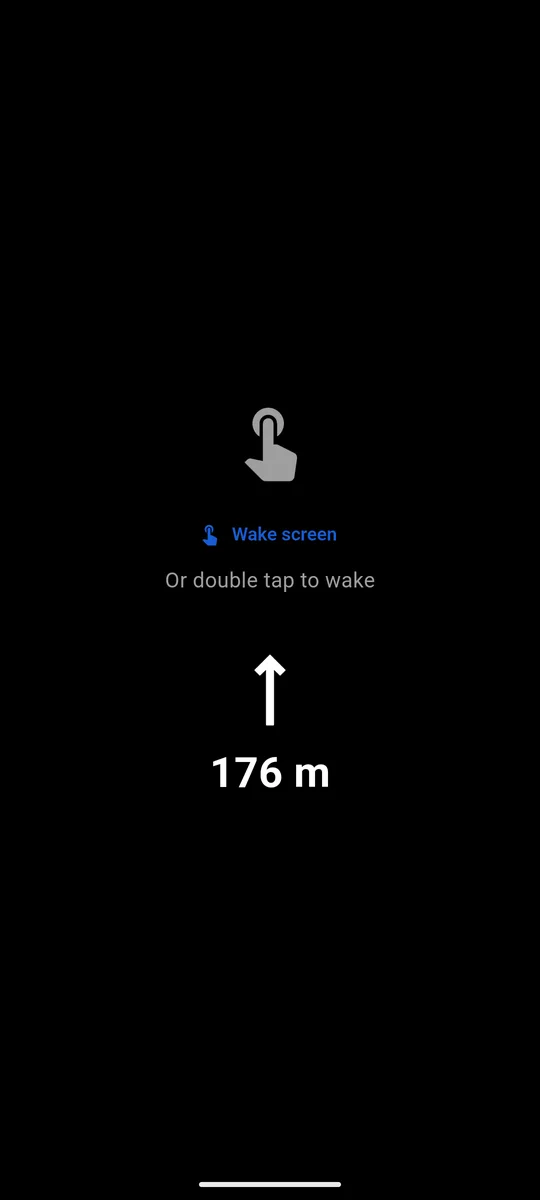
Battery saver: a black screen with only the next turn arrow and its distance.

Battery saver

Just your next turn on a black screen.

Explore the map drivers are building

Speed cameras, traffic lights and a sample of hazards.
Good to know

  • Free, with ads. No subscriptions.
  • Needs internet for search and routes.
  • Email sign-up. Delete your account any time in Profile.
  • Android only, with Android Auto in the car.

Try it on your next drive

Downloads
1K+
Rating
3.6
Reviews
11
Get it on Google Play

Numbers from Google Play. Read reviews